Before & after
Three more ways your application could change.
Drag any slider to compare. These concepts add logistics, field service and insurance claims to the six on our homepage. All products and data are fictional design concepts, not customer case studies.
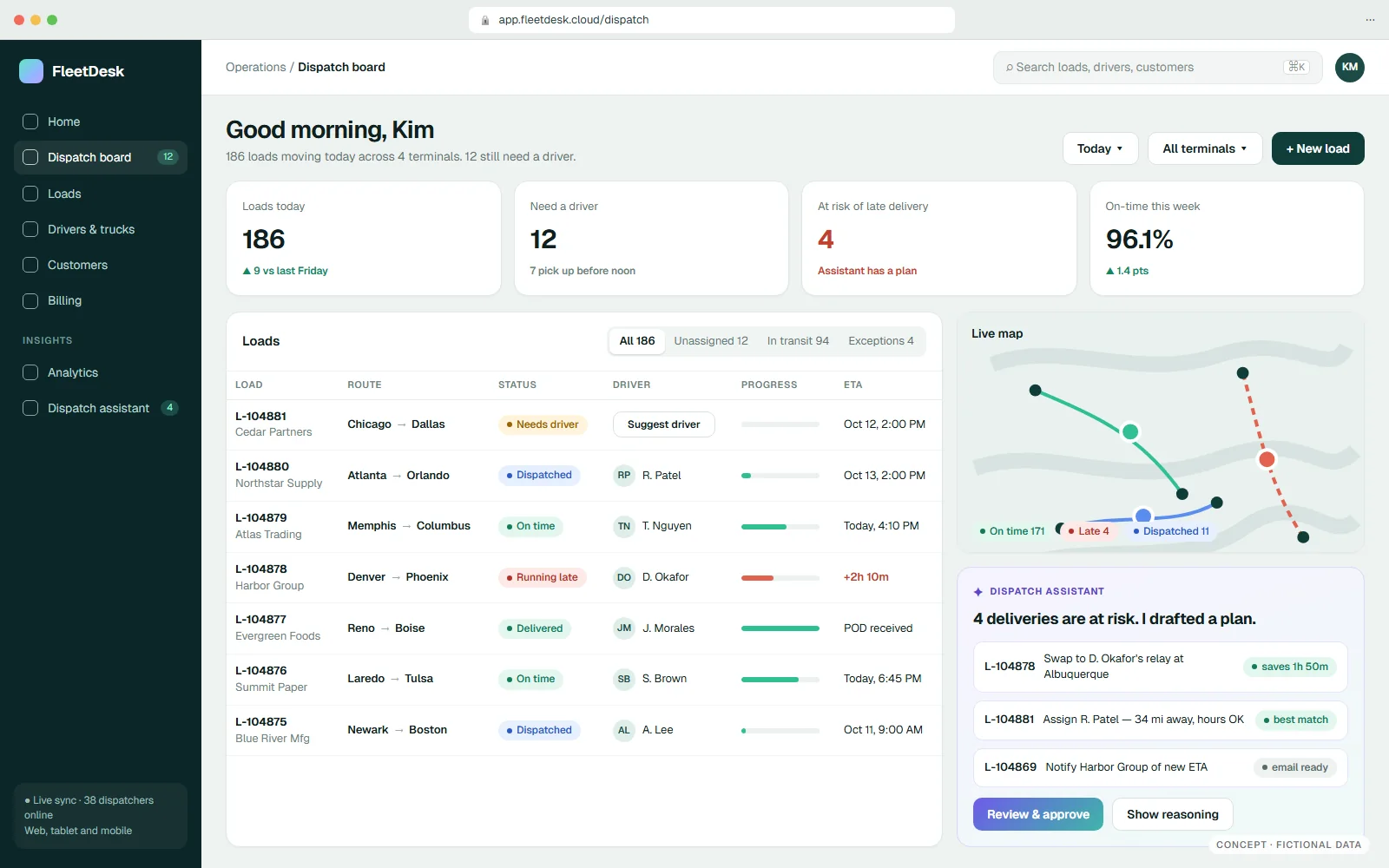
01 / Desktop → Cloud web app · Logistics
From a desktop app tied to one server to a dispatch board that runs anywhere.
→ Sell to customers who refuse to install software, and ship one release to everyone.
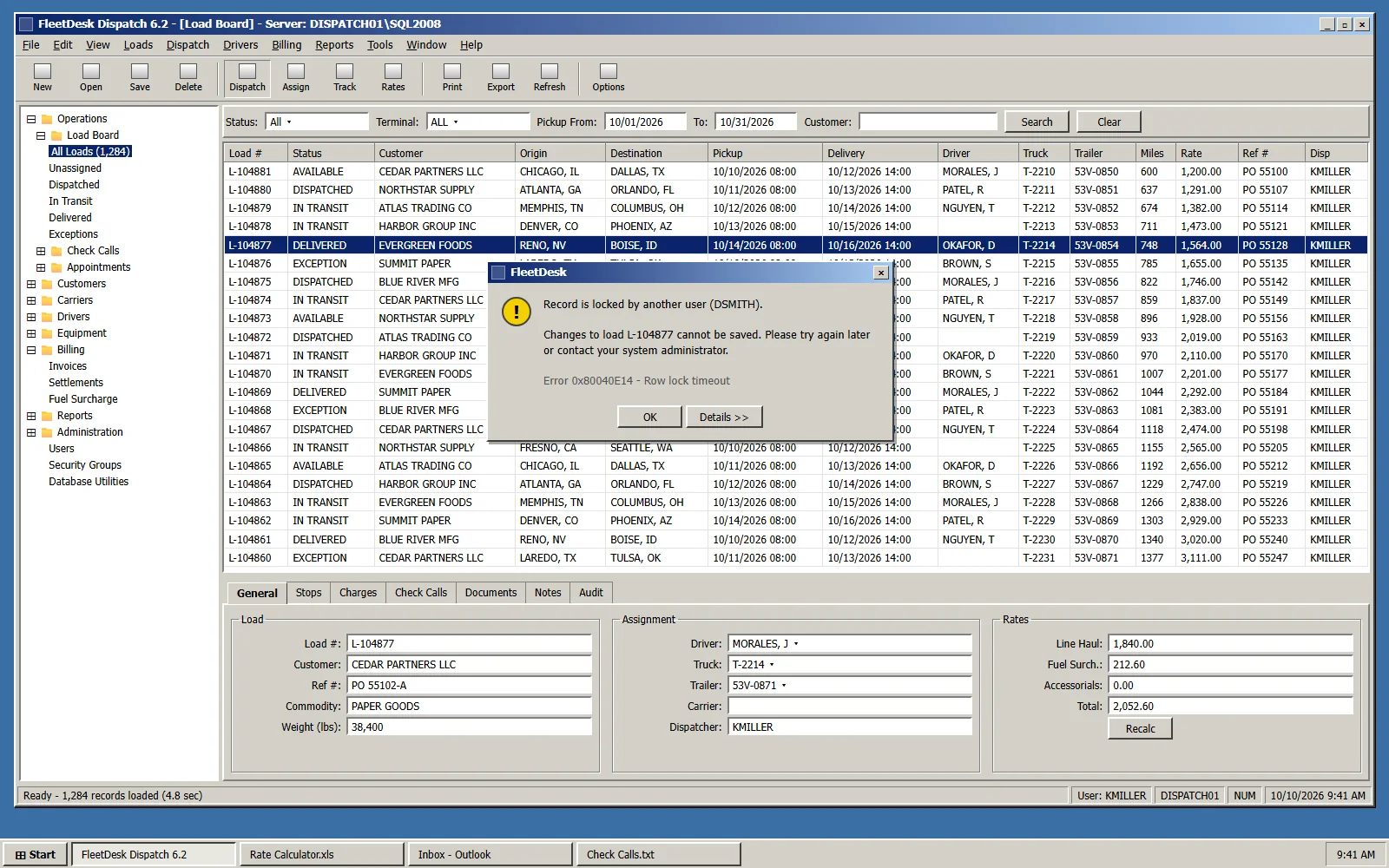
- Installed on every PC and tied to one office SQL server
- Records lock when two dispatchers touch the same load
- Rates in a spreadsheet, check calls in a text file
- Runs in any browser, tablet or phone — no installs
- Live board: who needs a driver, what is running late
- Dispatch assistant drafts fixes for at-risk loads; a person approves
What we would do Kept the load, rating and settlement rules. Rebuilt the interface for the web, moved the database to the cloud, and added an assistant on top of governed data.
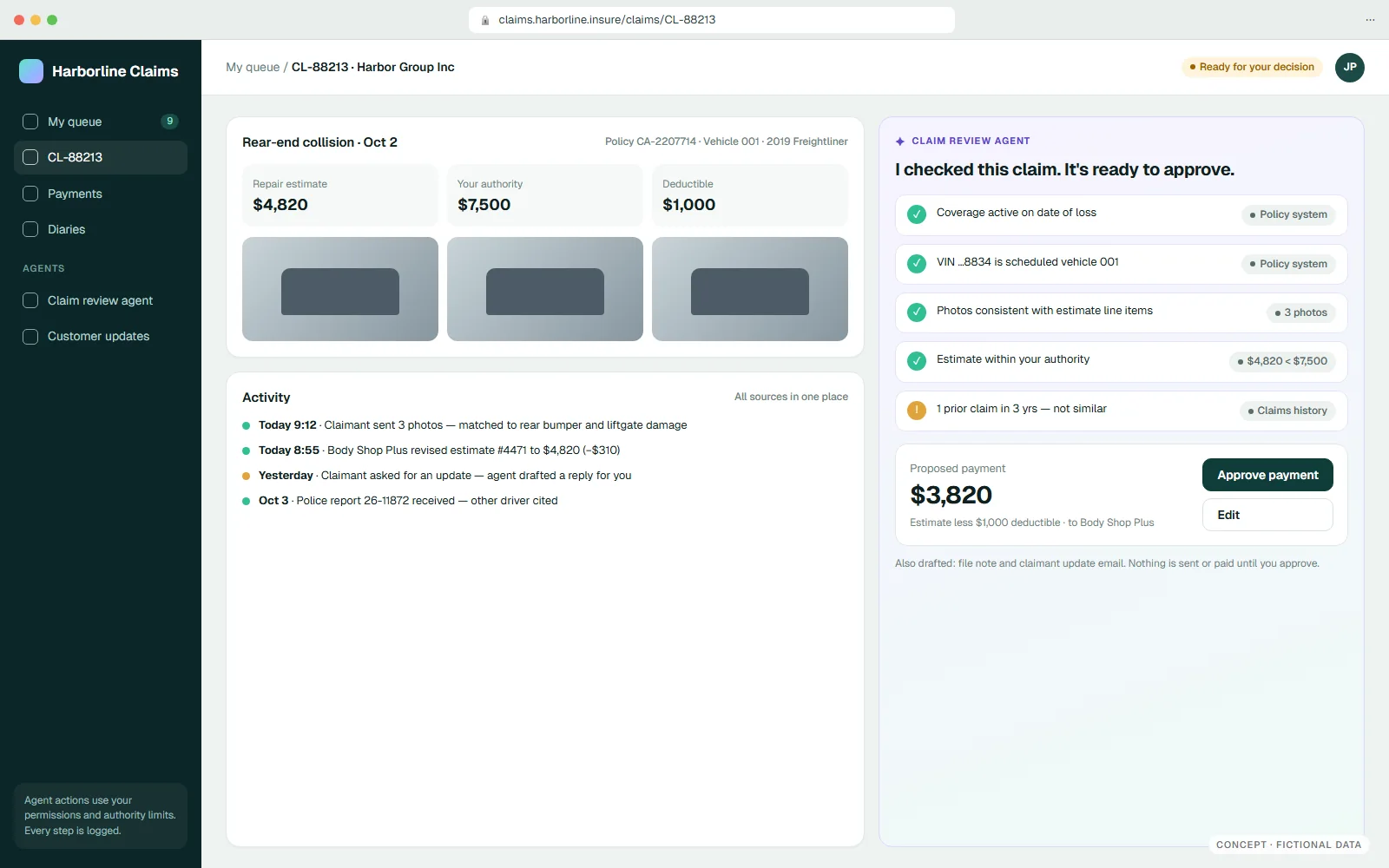
02 / Swivel-chair work → Claims agent · Insurance claims
From swivel-chair work across four systems to an agent that prepares the decision.
→ Ship real AI features in your product — useful, permissioned, and auditable.
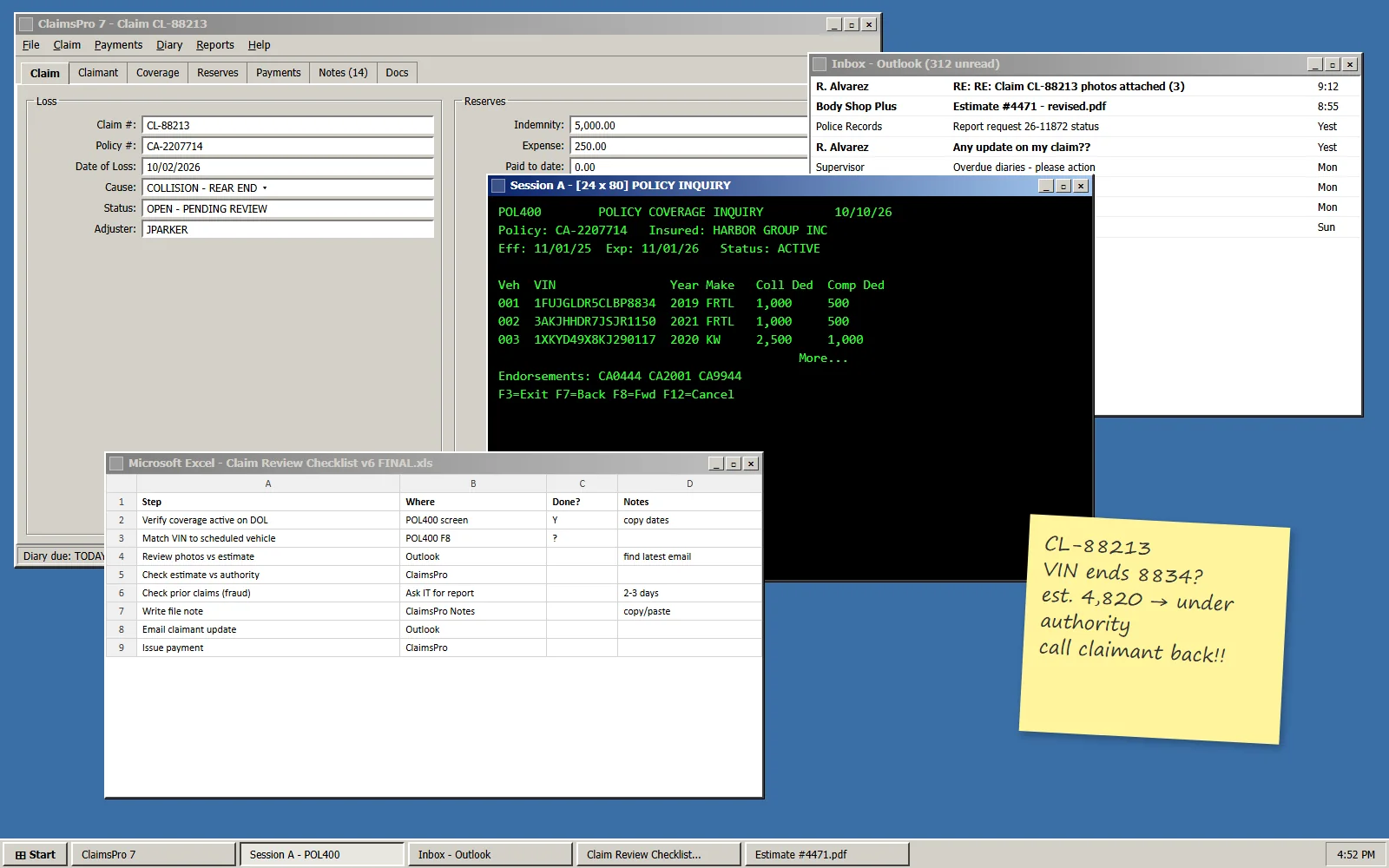
- Policy check in a terminal, photos in email, notes in Excel
- Every claim means copying data between windows
- Customers wait days for simple updates
- Agent checks coverage, vehicle, photos and authority
- Shows its evidence and drafts the payment and emails
- Nothing is paid or sent until a person approves
What we would do Gave a scoped agent read access to existing systems through controlled tools, encoded the review checklist, and kept the human approval step.
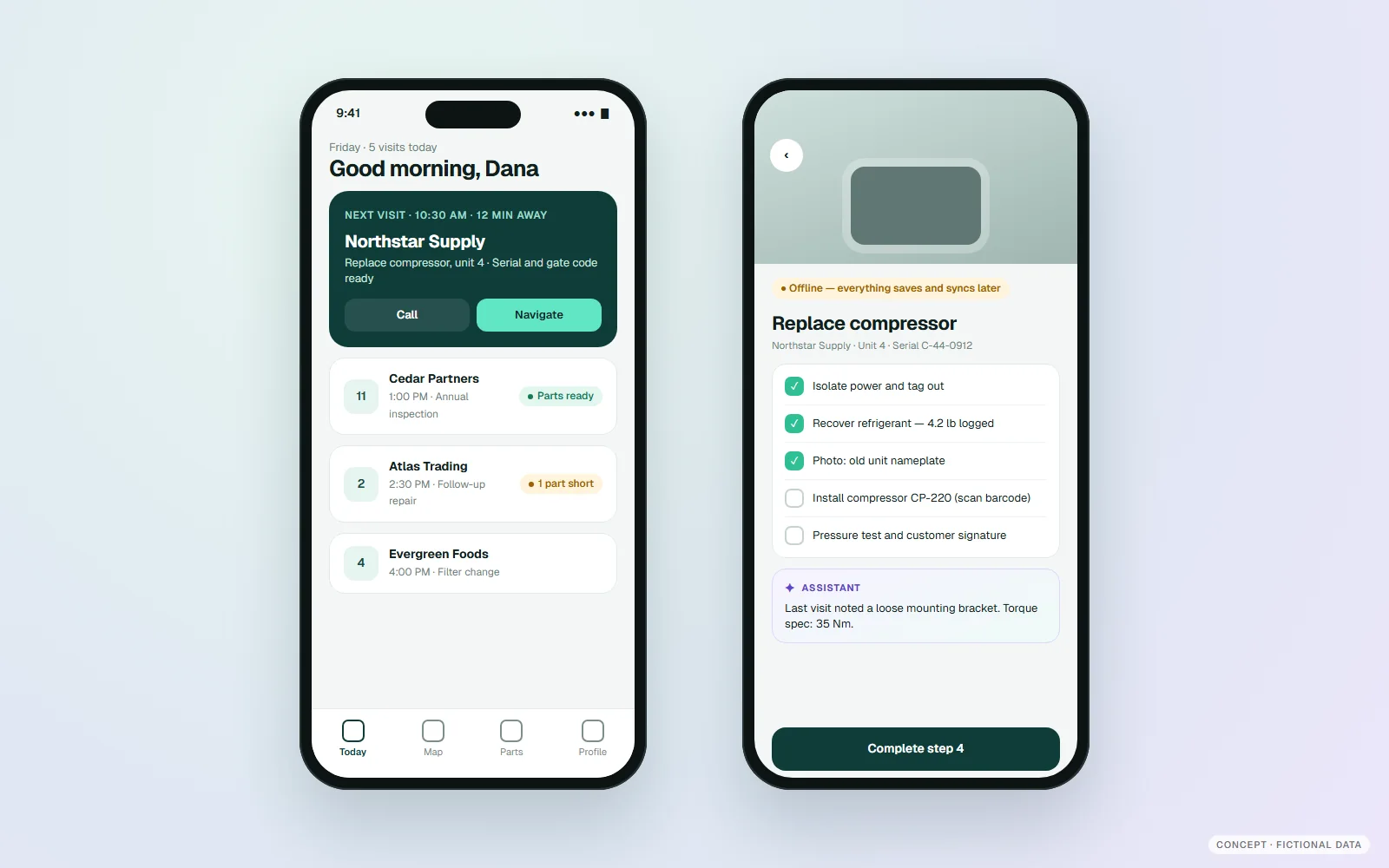
03 / Old mobile app → Modern mobile · Field service
From a shrunken desktop screen to an app built for the job in front of you.
→ Technicians finish more jobs with fewer call-backs, and customers see a modern brand.
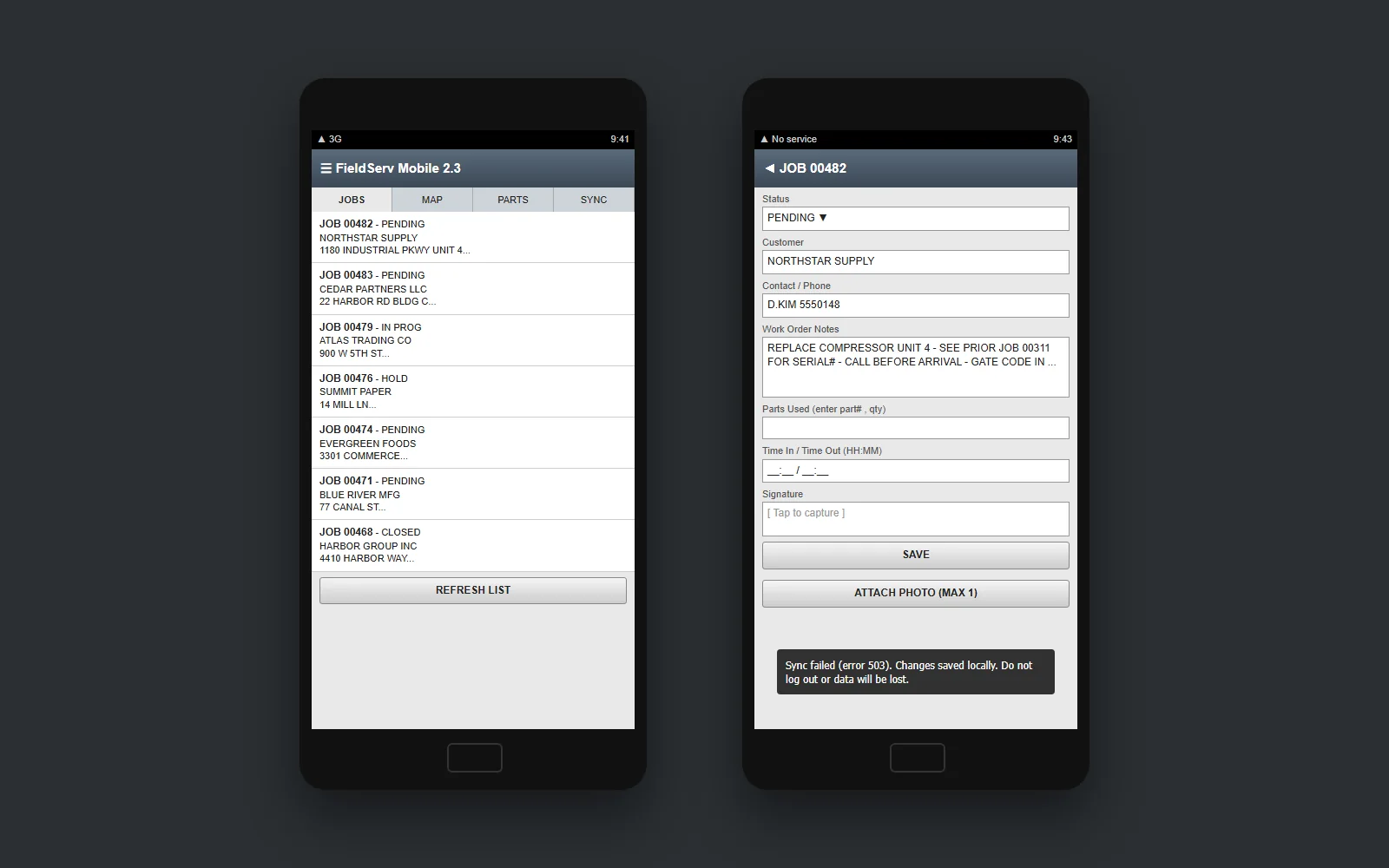
- Tiny desktop-style forms on a phone
- Loses data when the signal drops
- One photo per job, no history, no guidance
- Today’s route, next visit and parts status at a glance
- Works offline and syncs when back in range
- Step-by-step checklist with notes from past visits
What we would do Re-designed the work for touch and interruptions, then connected the new app to the same job, parts and billing services.
Free application review
Show us one screen. We’ll sketch its after.
Bring a screenshot or a workflow. Our free fit and exposure review identifies a practical first transformation.